From a Suggestion to a Real Feature: What I Learned Speaking Up
From a Suggestion to a Real Feature: What I Learned Speaking Up
A few months back I posted a suggestion in the HawkSoft community. I was tired of clicking through seven tabs every time I opened a client file just to answer basic questions. What do they have? Any recent contact? A renewal coming up? Any open tasks? By the time I had the full picture, a couple of minutes were gone, and the client was still waiting on me.
So, I wrote it up. I described the problem, explained what a single summary view could look like, and posted it on Hawksoft’s internal suggestions board.
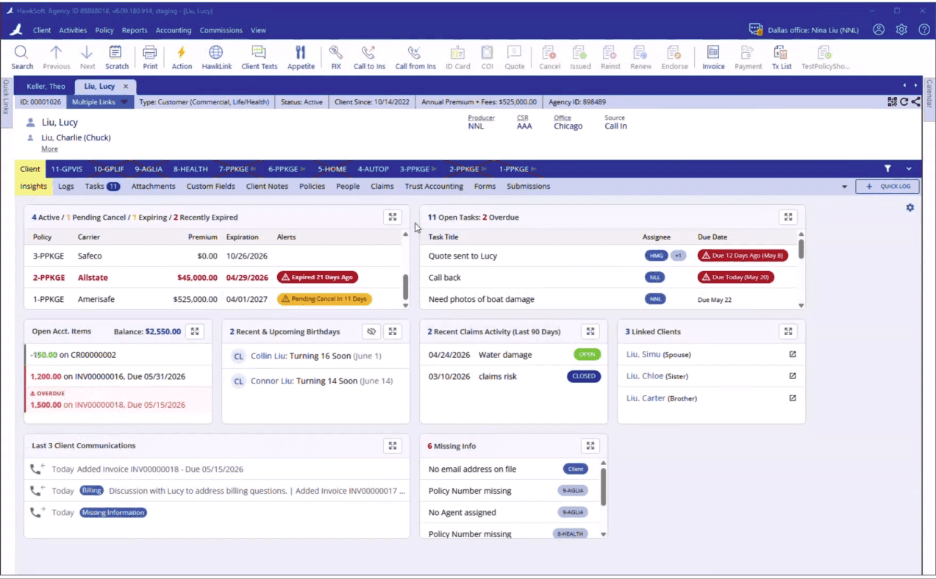
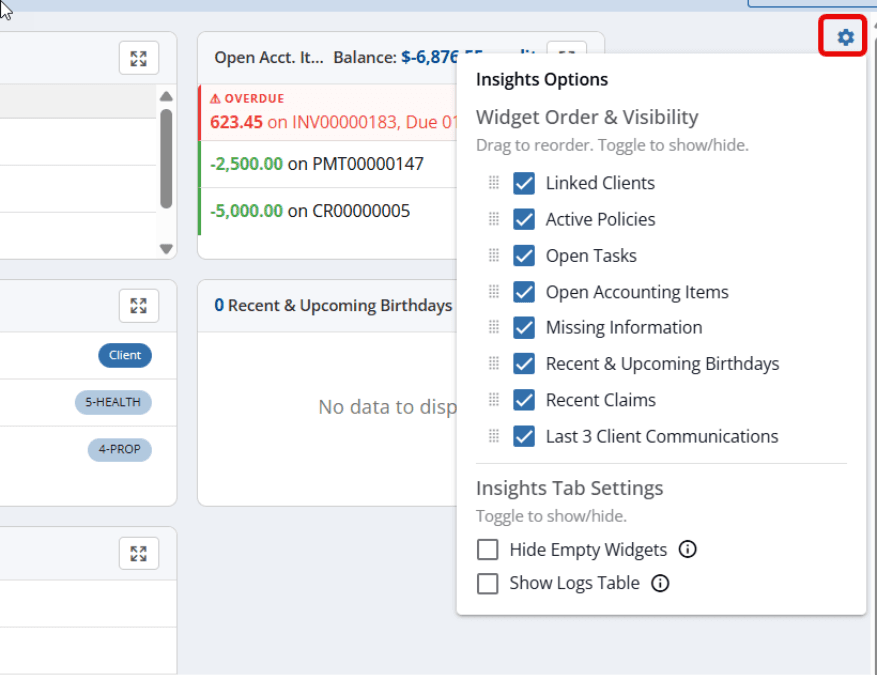
Last week HawkSoft released the Client Insights Dashboard. One screen with widgets for active policies, open tasks, accounting items, recent claims, linked clients, missing information, birthdays, and the last three communications. You can reorder the widgets, hide the empty ones, and set Insights as your default tab when you open a client. The thing I was assembling across seven tabs now loads in one view.
I'm sharing this because there are a few things worth pulling out for the rest of us.
Speak up in the right place. Venting to your team or complaining in a Facebook group doesn't move anything. I put it on Hawksoft’s internal community board where the people who actually build the product read and prioritize.
Make the case. An idea on its own doesn't get built. I had to describe the problem clearly enough that other agents saw it as their problem too. Fifty-one of them upvoted it in the Hawksoft’s internal community board. In addition to 134 likes and 70 comments in Hawksoft’s Facebook user group. That's what gave it weight.
Then there's the part you can't control. You need a company that listens. I picked HawkSoft in 2024 partly for this reason. Family-owned in an industry full of companies too big to fail, where the goal is usually to grow, not to advocate for the future of independent agents. They don't hold your data hostage, they run open APIs, and they work with a long list of vendors. I'm grateful we landed there.
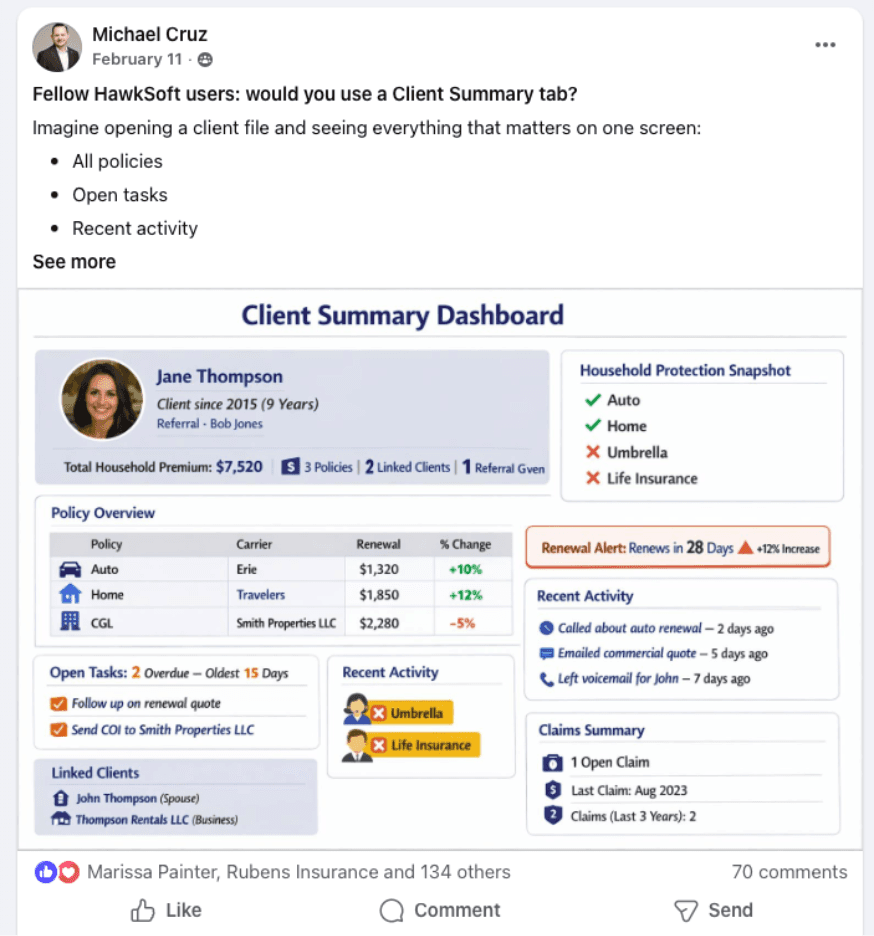
One more thing, that matters. I built a mockup of what I wanted using ChatGPT before I posted. I don't think this would have gotten the traction it did without that picture. People upvote what they can see. If you've ever wondered whether AI is worth your time, here's plain proof: it let me show my vision in minutes instead of paying a designer to go back and forth for weeks, and I have no design background.
My Facebook post and AI generated mockup:
Show up. Make your case. Use the tools in front of you. We all get better when we do it.
Here is the full release from Hawksoft:
We have some awesome news to share today! With the latest HawkSoft version release - the HawkSoft development team has released the new Client Insights Dashboard!
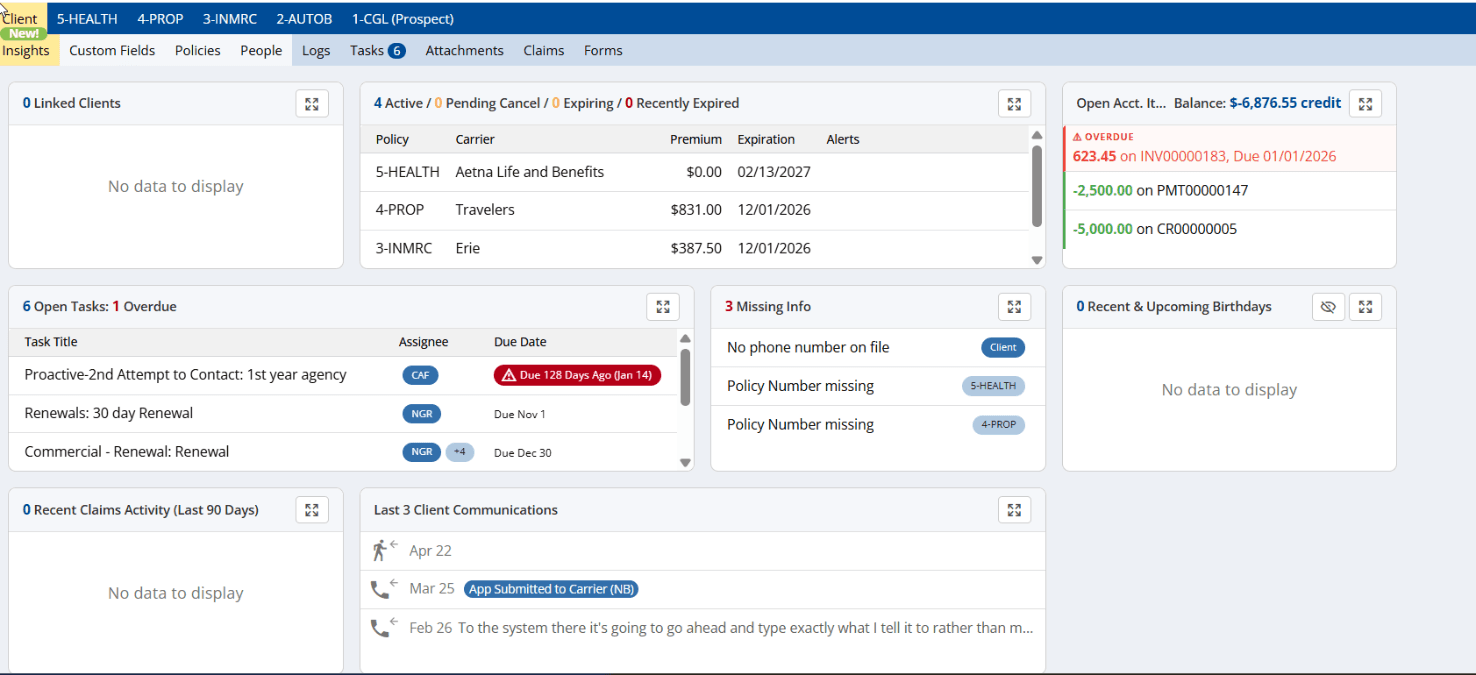
This gives our customers a quicker insight to their customer with widgets for:
Linked Clients
Active Policies
Open Tasks
Open Accounting Items
Missing Information
Recent and Upcoming Birthdays
Recent Claims
The last 3 Client Communications
You can customize which widgets are seen and their order by going to the Insight Options under the settings gear in the right hand corner of the Insights Tab. Here you can also choose to hide empty widgets or to show the logs table when viewing the Client Insights tab.
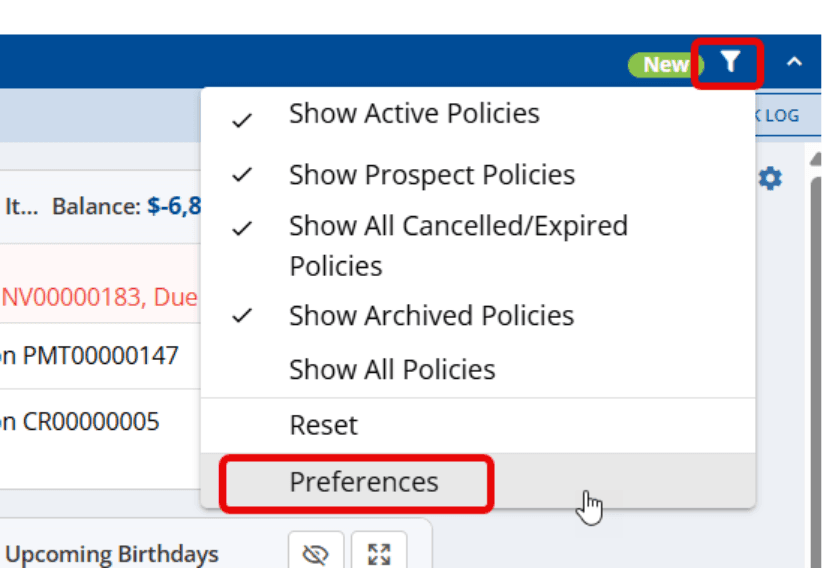
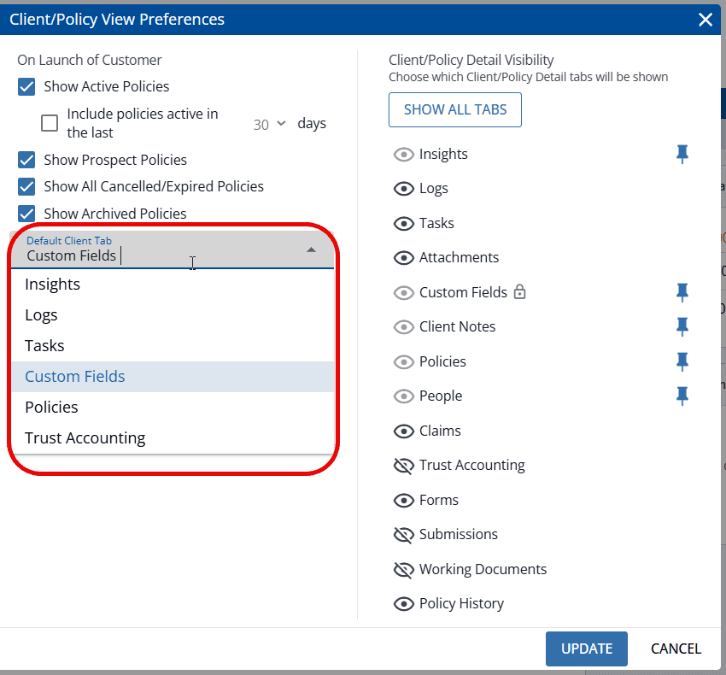
The Client Insights can be set as the default tab when launching a client (and is by default for any that hadn’t previously set a default) by going to the by going to the Client/Policy View preferences under the filter icon on the policy bar.
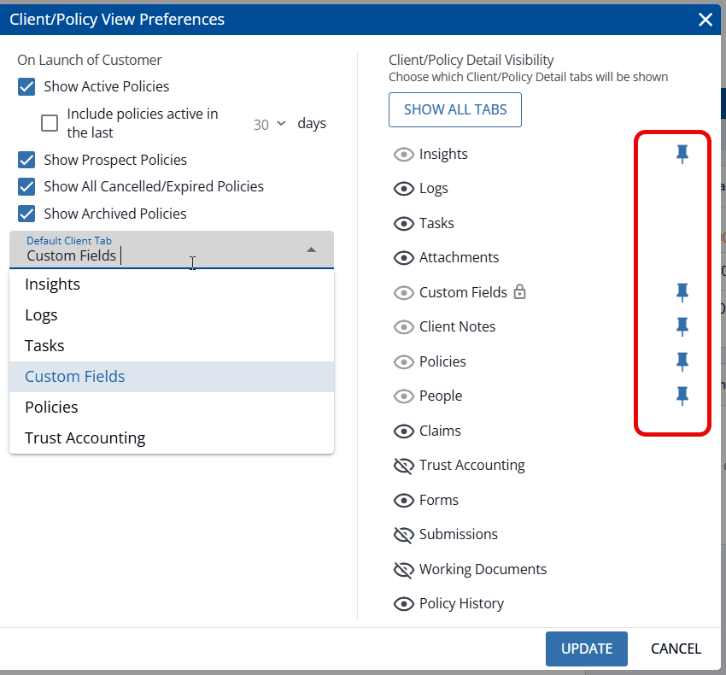
Our amazing development team also added the ability to pin certain tabs so they are always visible on both client and policy tabs this release as well!
We want to thank everyone for their feedback, comments, and upvotes for this suggestion with an extra shoutout to @Michael Cruz as the one to originally suggest and advocate for this feature.
We greatly appreciate all of your feedback and willingness to help us continue to improve HawkSoft for all users! It makes a difference!
Here’s a quick video walkthrough: